Safe by design
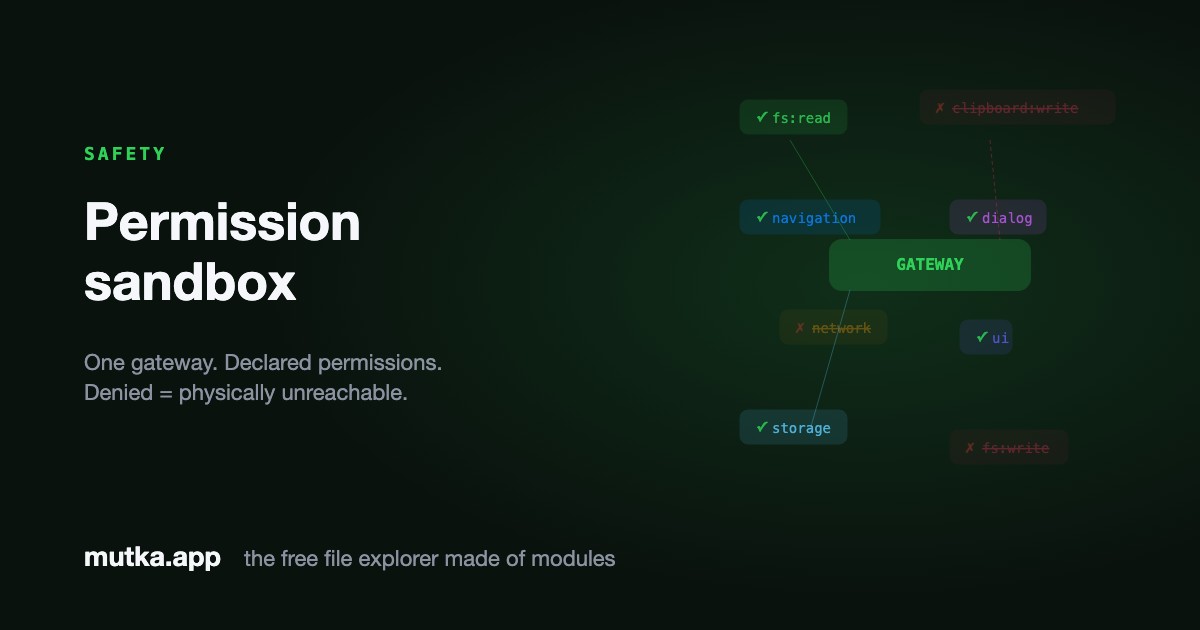
Installing a third-party module shouldn't mean handing it your whole filesystem. In Mutka a module receives exactly the capabilities it declares - and a denied permission isn't just refused, it's unreachable.
The problem with plugins
Most extensible apps grant plugins the same power as the app itself. A plugin that should only count words can usually also read your SSH keys, phone home, or delete a folder - because nothing stands between it and the system. Even mainstream platforms acknowledge this: VS Code's own documentation states that extensions run with the full privileges of the editor.
Mutka takes the opposite stance: the classic principle of least privilege, applied to a file explorer. The core ships only infrastructure; every feature is a module, and every module states up-front the precise capabilities it needs. The system grants those and nothing more.
Permissions are a declared contract
A module is a single file that exports defineModule({ id, permissions, … }). The permissions array is the whole story: it's the complete list of what the module is allowed to touch.
When the module calls host.fs.write() or host.net.fetch(), the gateway checks that call against the declared list. If the matching permission isn't there, the call throws before it ever reaches the system.
- fs:read / fs:write / fs:temp - scoped filesystem access
- clipboard:read / clipboard:write - the macOS pasteboard
- navigation, dialog, ui, network, storage, secrets
- Anything not listed is denied - there is no implicit access
Untrusted code runs in a real sandbox
Trusted built-ins run in-process for speed. Community modules you install run isolated in a Web Worker: no DOM, no invoke, no reference to the core. Their only line to the system is a postMessage channel.
That means a denied capability isn't a polite refusal - the worker has no way to perform it at all. The permission gateway is the single, auditable choke point every privileged call must pass through. You review those permissions in the extension manager before anything installs.
What a blocked call looks like
export default defineModule({
  id: "com.word-count",
  permissions: ["fs:read"],   // the whole allow-list
  setup(host) {
    host.fs.readDir(path);   // ✓ allowed
    host.fs.deleteItem(path);  // ✗ throws: fs:write not granted
  }
});
A module that only declared fs:read cannot write - the gateway throws.
Three layers, one guarantee
Safety in Mutka isn't a setting you can forget to enable - it falls out of the architecture.
Declared up front
Permissions live in the manifest, visible before you install. Nothing is requested silently at runtime.
Physically isolated
Community modules run in a Web Worker with no system handles - capabilities they lack simply don't exist for them.
Centrally gated
One gateway checks every privileged call. To audit what's possible, you read a single file.
Frequently asked
Can a module access files I didn't open?
Only if it declared fs:read or fs:write. Without those permissions the filesystem capabilities are never wired into the module, so the calls don't exist to be made.
Can a module phone home or send my data over the network?
Not unless it declared the network permission, which is shown in the install review. A module without it has no network capability at all.
What stops a malicious module from bypassing the gateway?
Untrusted modules run in an isolated Web Worker with no reference to the core, no DOM and no invoke bridge. The only way out is the postMessage channel, and every message is checked against the declared permissions.
Can I revoke access after installing?
Yes. Disabling a module tears down its worker immediately, and uninstalling removes it from disk. Every change is applied live without restarting the app.
Sources & further reading
The ideas behind Mutka's sandbox aren't invented here. They build on well-documented platform primitives and decades of security research.
- 1Web Workers APIMDN Web Docs
The browser isolation primitive Mutka uses to run untrusted modules: no DOM, no shared memory, postMessage only.
- 2The Protection of Information in Computer SystemsSaltzer & Schroeder, MIT
The 1975 paper that formalized the principle of least privilege Mutka's permission model follows.
- 3Declare permissions: Chrome extensionsChrome for Developers
Prior art: browser extensions also declare permissions in a manifest reviewed at install time.
- 4Tauri security modelTauri
The security architecture of the framework Mutka is built on, including its IPC and capability system.
- 5Content Security Policy (CSP)MDN Web Docs
The mechanism that blocks all native network egress from modules, making host-proxied HTTP the only way out.