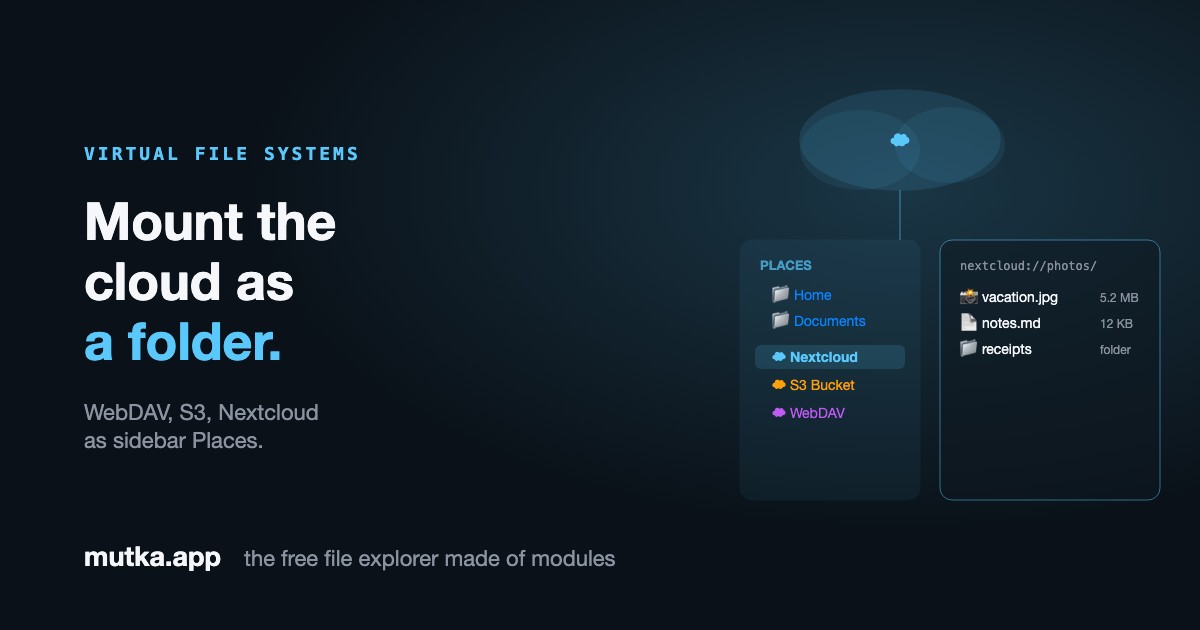
A folder that lives somewhere else
Not every filesystem is on your disk. A Mutka module can stand in for one entirely - claim a scheme like nextcloud://, answer requests for listings, and Mutka navigates it exactly like a local folder, breadcrumbs and all.
The explorer doesn't care where files live
Navigation in Mutka is just "given a path, return its entries." Nothing in the core assumes those entries come from your disk - it only assumes something can answer the question.
A virtual-filesystem module is that something. It registers a URL scheme and a listing handler; when you open a path under that scheme, Mutka asks the module instead of the operating system. To the rest of the app, a remote folder and a local one are indistinguishable.
Claim a scheme, serve the entries
A module declares a sidebar place pointing at its own scheme - say nextcloud:// - and a handler that turns a path into a list of FileItems. Mutka renders that list with its normal file view: icons, columns, selection, breadcrumbs.
The entries are fetched over the host-proxied network, gated by the module's declared network tier - so a virtual filesystem reaches a remote server without ever getting raw socket access. Its connection settings can be a declarative form in the settings panel.
- One sidebar Place per mount, grouped under its own category
- Listings returned as ordinary FileItem entries
- Network access is permission-gated, never raw
From sidebar click to remote listing
Three steps, all inside one module file.
- 01
Register a Place
The module contributes a sidebar item pointing at its own URL scheme - it shows up as a mount in the Places list.
- 02
Answer the path
When you navigate into the scheme, Mutka calls the module's listing handler with the path; it fetches the remote directory and returns FileItem entries.
- 03
Render natively
Mutka shows the result in the normal file view - same columns, selection and breadcrumbs as a local folder.
What you can mount
Any backend you can list over the network can become a Place.
WebDAV
The com.webdav dev-module mounts a WebDAV share as a browsable Place, settings UI included.
Nextcloud
Point the same module at a Nextcloud endpoint and your cloud files show up in the sidebar.
Object storage
An S3-style bucket can be listed and browsed like any other folder.
Anything listable
A REST API, an archive's contents, a database of blobs - if you can list it, you can mount it.
Frequently asked
Does a virtual filesystem download everything first?
No. The module answers listing requests on demand - it returns the entries for the path you're viewing, fetched over the host-proxied network when you navigate there.
Is a remote folder treated differently from a local one?
Not by the UI. Mutka renders virtual listings with the same file view, columns, selection and breadcrumbs as a local directory. The difference lives entirely inside the module.
Can a virtual filesystem reach any server it wants?
Only within its declared network permission tier. Network access is host-proxied and gated - a module never gets raw socket access, so it can only talk to what it asked for.
Sources & further reading
The protocols and prior art a virtual-filesystem module builds on.
- 1RFC 4918: HTTP Extensions for WebDAVIETF
The WebDAV standard the com.webdav dev-module speaks to list and browse remote shares.
- 2Amazon S3 ListObjectsV2 APIAWS Documentation
The listing call an S3-style mount is built on: one HTTP request per directory view.
- 3Accessing Nextcloud files via WebDAVNextcloud Docs
How a self-hosted Nextcloud exposes files over WebDAV, which is exactly what a Mutka mount consumes.
- 4libfuse - Filesystem in UserspaceGitHub
The classic prior art for user-space virtual filesystems; Mutka moves the same idea into a sandboxed module.